

Google reviews are public accounts of customer experience attached to your Business Profile. The customer owns the review and can edit or delete it; a verified business can only reply, report a violation or ask for help with a missing one. Running reviews well means a neutral request, a fact-checked reply and a log of what the feedback changed.
This guide covers the routine: who has access, how to ask, how to reply, what to check when a supplier is involved and how to turn recurring complaints into service fixes. What to do with a review you want gone (evidence, reports, appeals, payment demands) is in a separate article, What a business can do about an unwanted Google review. For the field-by-field profile pass, see the optimization checklist; for the ranking picture, the Google Maps SEO guide.
Start with a manageable review process
A workable review process has four parts: a named owner, a neutral invitation, a reply routine and a place to record service problems that need someone else to act. Size it to what the team can keep up with week after week, start with one location, and only then add tools or more branches.
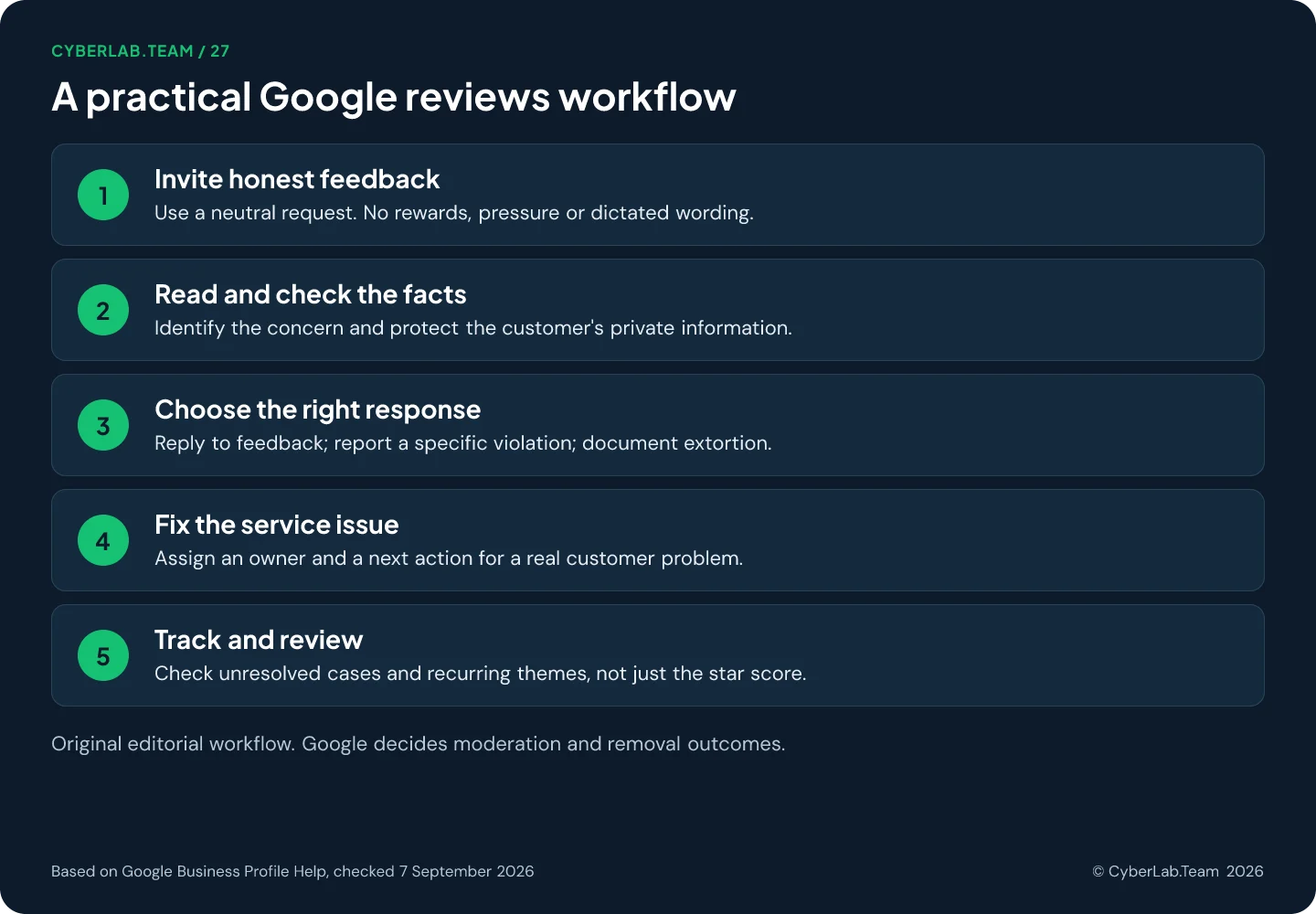
Treat review management as part of customer service rather than a marketing task. Decide who asks for feedback, who replies and what happens when a review needs investigation. Once one location runs smoothly, apply the same checks to the others.
Give each review a clear next action. A complaint may need an investigation, a genuine compliment may deserve a short acknowledgment, and a review that breaks a rule or comes with a payment demand belongs on the reporting route.
Choose a workload the team can maintain before adding automation. A tool that sends more invitations than anyone can follow up on creates unanswered complaints, not a better reputation.
What reviews can and cannot do
Reviews are one of several signals in local ranking, next to relevance and distance, and Google publishes no count that secures a position. A business can improve how it asks for feedback and handles complaints. It cannot promise where Google will rank it after the next review, or how many inquiries one more star will bring.
The overall Google review score is the average of the ratings published on Google for that place or business. Google says an updated score may take up to two weeks to appear after someone leaves a new review, so the visible average trails new feedback.
Check the source of a rating too. A Business Profile may display reviews from other websites, and the presentation varies by business type, location and device. Those reviews belong to their originating platform; they are not all written on Google.
For planning, write down where you start: the date, the visible review count, the displayed score and the unresolved customer concerns. Judge the work against that record rather than against a target borrowed from an unrelated business or market.
Settle who has access before anyone replies
Only owners and managers of a verified Business Profile can reply, so settle access before anyone drafts a response. Give each person their own Google Account and a role that fits, keep ownership with the business when an agency helps, get that agency’s approval in writing, and name one coordinator plus a backup with an escalation contact for real problems.
Find the correct profile using the Google Account associated with it. If verification is still pending, follow the methods Google offers for that profile; the options vary, and hiring a supplier does not unlock a different one.
Add each authorized person through their own account instead of sharing the owner’s password, and choose the role deliberately: managing replies does not require handing a colleague control of ownership. Keep access limited to people who need it, remove former staff, turn on account protections such as 2-Step Verification, and check unexpected access requests before accepting them.
For an external agency, agree who may publish replies and what needs sign-off. Google’s third-party policy requires explicit approval to respond on a client’s behalf, and verbal consent is not enough, so keep written or digital evidence of that authorization.
Nominate one person to coordinate replies and a backup for absences. Give them a contact for delivery problems, billing questions and complaints that need a manager. Access without an escalation contact leaves the reply writer guessing.
Ask for honest reviews without steering the result
Ask everyone with a genuine experience, at a natural moment, and leave both the decision and the opinion to them. Google bans incentives, selective requests to happy customers, pressure on the premises, dictated content and staff quotas. Check the whole journey, including survey filters and staff scripts, then try the link or the QR code yourself before you print it.
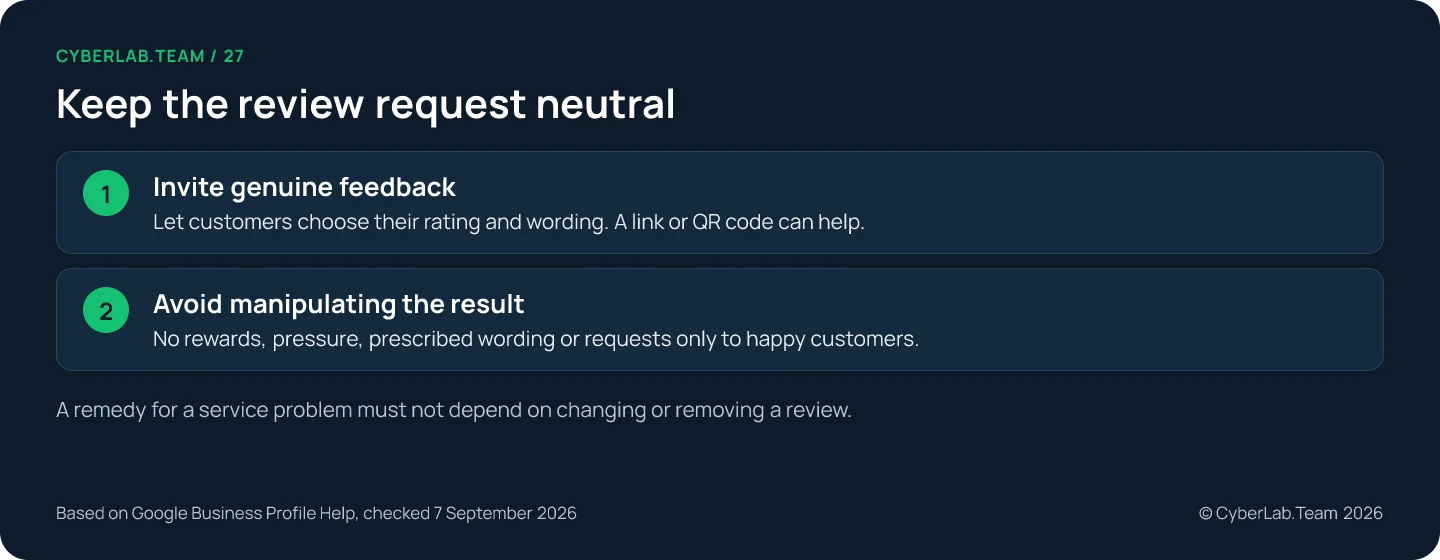
Google prohibits fabricated reviews, incentives, conflicts of interest and selective requests for positive feedback. It also prohibits pressure to review on the premises, requests for specific content and staff targets that require a set number of solicited reviews.
In practice that rules out discounts for reviews, routing only satisfied customers to Google, prescribing staff names or keywords, and asking employees to meet a review quota. A customer should be free to decline or to describe a disappointing visit.
Review the whole request journey. A neutral email can still sit behind a screening form that sends only satisfied customers to Google. Inspect the survey logic, the message templates and the instructions given to staff, not just the final link.
Choose a point after the customer has enough experience to comment. Google sets no timing rule, so match the moment to the service: after the visit for a clinic or a restaurant, after the repair has been handed over and tried for a repair shop, and for ongoing work at the stage the customer would actually describe. Write the chosen moment down so every location asks at the same point.
Create and test the review link or QR code
In your Business Profile, open Read reviews and select Get more reviews, then copy the review link. Google’s current instructions place QR-code creation in a desktop browser, where you can save the code as an image.
Put the link in a thank-you email or on a receipt, or print the QR code on a card. Before distribution, open the link and scan a printed sample to confirm the destination, the location name and readability.
A printed code offers a choice without an employee waiting for proof that a review was submitted. Make it available, then let the customer decide when and whether to use it.
Customers need to sign in to a Google Account to leave a review; that account does not have to use Gmail. Reviews are public, so do not describe the process as anonymous feedback.
Two invitation examples you can adapt
For an email after a completed service: “Thank you for choosing us. If you would like to share your experience, you can leave a Google review using the link below. Your feedback helps us understand what worked and what we can improve.”
For a printed card: “Would you like to share your experience? Scan this code to leave an honest Google review. Taking part is optional.” Both are templates to adapt; no response rate is claimed for either.
Translate the invitation into the language the customer uses with your business, and check that the translated version still welcomes honest feedback and keeps participation optional. Do not infer a person’s preferred language from the country alone.
Reply with facts the business can stand behind
Reply from the verified profile through Read reviews, after reading the whole review and checking internally what actually happened. Keep it brief and specific, thank a positive reviewer for what they mentioned, give a complainant a private route to continue, and never claim a refund, fix or agreement that has not taken place. Google reviews replies before publishing them.
To reply, open the verified profile, select Read reviews, choose Reply beside the review and submit the response. Google checks replies against its content policies before they go live. The customer is notified and may later change their review.
Read the whole review before drafting. Identify the specific experience, check what you can establish internally and decide what belongs in public. A good reply helps the reviewer and future readers understand the business’s next step.
Google recommends short, helpful responses that avoid promotional language and protect private information. Acknowledge an error when you know it happened; explain a relevant limitation honestly when it was outside your control.
For a positive review, a specific thank-you may be enough. For a complaint, address the concern and offer a suitable way to continue the conversation. Do not turn a short review into a sales pitch.
An acknowledgment of positive feedback
Suppose the review says the appointment instructions were clear. A reply could be: “Thank you for the feedback. We’re glad the appointment instructions were useful.” The response uses only information already in that review.
Adapt the detail to what the customer actually wrote. Do not add a service they did not mention, claim a staff member remembers them, or imply an ongoing relationship you have not checked.
A response to a complaint that needs investigation
A starting point could be: “I’m sorry to read about the delay. We’d like to check what happened. Please contact our team through the contact details on our website so we can look into this privately.”
Use that wording only if the business can receive and investigate the inquiry. Replace a vague promise with the actual contact route and the responsible team. Never state that a refund was issued, a fault was fixed or a customer agreed to a resolution unless it happened. A remedy must also never depend on the customer changing or removing the review.
Avoid publishing order details, medical information or other private records to win the argument. Google’s personal-information rules include context-specific exceptions, such as the names of public-facing professionals, so a name appearing in a review is not automatically a violation.
Using AI or templates for drafts
A template gives structure. If you use AI to draft a response, put the draft through a factual check before publication: what happened, what the business knows, what it can offer and which details must stay private.
Remove invented apologies for events you have not established, promises the team cannot deliver and repeated marketing phrases. Keep the approval step especially clear for sensitive complaints. A fluent sentence is not evidence that its claim is true.
If a published response needs correction, Google lets the business edit or delete its own reply. That control does not extend to rewriting the customer’s review.
When a review needs more than a reply
A complaint you can address gets a reply and a fix. A review that looks fake, breaks a rule, comes with a demand for money or has gone missing is a different case, and the removal guide holds the whole route: the evidence to collect, how to report, how to read the status, the one-time appeal and what to do with an extortion attempt. A low rating or a tone you dislike is not grounds for a report.
A review that disappears does not say why. Google’s documentation describes moderation delays, legitimate reviews removed by automated spam detection and problems after profile merges or reinstatement. Preserve the details and use the support route; do not ask the customer to post the same text again.
Note in the review log which route each case took, so a missing review, a reported one and a plain complaint do not end up in the same column.
Protect the process when you use suppliers
Offers to sell five-star reviews are a known scam, and a supplier who runs a fake-engagement campaign can get the profile restricted. Define the supplier’s actual work, ask to see its invitation workflow and approval history, and if something went wrong, stop the practice and review permissions before switching vendors.
Check the sender and the proposed action before giving anyone access or responding to a payment request. Google’s scam guidance also describes the opposite pattern, a threat to harm the rating unless you pay; that one is handled in the removal guide.
Agree on what the supplier will actually do: monitoring, drafting, authorized replies, reporting suspected violations and keeping records. Ask for the invitation workflow and the approval history. A vague promise to “fix your reputation” leaves too much undefined.
Google may restrict a profile that violates its fake-engagement policy. Possible measures include temporarily preventing new reviews, unpublishing existing ratings or displaying a warning. The policy provides a route to appeal a restriction.
If a supplier caused a problem, preserve the relevant instructions and activity records. Stop the questionable practice and review the account permissions. Replacing the supplier while the same campaign keeps running does not correct the process.
Use feedback to improve the business
The payoff from reviews is operational: group complaints by the experience they describe, confirm the facts, pick one change and check whether the theme returns. Keep a small log with dates, themes, reply status and owners, keep service outcomes apart from the score, and treat Performance clicks and review counts as context rather than proof.
Use recurring complaints to choose a service improvement. Sort them by the experience described, such as unclear appointment instructions, waiting time or unexpected handover requirements, and confirm the underlying facts before deciding on a change.
Some service businesses also receive ratings for specific aspects of the experience. Where available, these can point to issues worth investigating. Google determines the aspect questions; a business cannot rewrite them to make the results look better.
Keep a small review log with consistent dates and definitions: the review link, the date observed, the theme, the reply status, the responsible person and the next action. Record only the personal information the team needs for the task.
Separate the service outcome from the rating outcome. A complaint can be resolved even if its author leaves the original score unchanged, and a higher average score on its own does not show that recurring problems were fixed.
Use Business Profile Performance as a separate view of customer interactions. Its data can include organic results and Google Ads, and the calls metric counts clicks on the call button, not confirmed conversations or completed sales.
Do not present new published reviews divided by sent invitations as a proven conversion rate unless you can establish attribution. People find the profile on their own, publication can be delayed and the displayed count can change for other reasons. Label simple comparisons honestly.
Choose a review interval that suits the workload. Look for cases with no owner, replies waiting on facts and the same complaint recurring after a change. Keep a record of what you changed and check whether the problem comes back.
What happens to reviews when the business changes
Google says reviews remain when new management takes over a business with the same name. Use truthful replies to explain relevant improvements, and do not create a replacement profile just to obtain a fresh rating.
Relocations have their own transfer rules and exceptions in Google’s guidance, so check them before moving a profile or opening a new one. Existing reviews also stay when a business is temporarily or permanently closed; what closing a profile does and does not remove is covered in the removal guide.
If review monitoring and replies are the part your team keeps postponing, monthly profile management covers them within Google’s rules. Send the locations, who can approve replies today and the oldest review still waiting for an answer, and we will tell you what the routine would look like for your team. Reviews that need reporting go through the removal guide first.
Sources
Google Business Profile Help and Google Maps Help pages this article relies on, checked 7 September 2026.
- Google Business Profile Help. “Manage customer reviews.” https://support.google.com/business/answer/3474050
- Google Business Profile Help. “Tips to get more reviews.” https://support.google.com/business/answer/3474122
- Google Business Profile Help. “Create a Google link or QR code to request reviews.” https://support.google.com/business/answer/16816815
- Google Maps Help. “Prohibited and restricted content.” https://support.google.com/contributionpolicy/answer/7400114
- Google Business Profile Help. “About missing or delayed reviews.” https://support.google.com/business/answer/10313341
- Google Business Profile Help. “Understand review scores for local places and businesses.” https://support.google.com/business/answer/4801187
- Google Business Profile Help. “Move your reviews across Business Profiles.” https://support.google.com/business/answer/3098204
- Google Business Profile Help. “About third-party reviews.” https://support.google.com/business/answer/10286840
- Google Business Profile Help. “About reviews for service businesses.” https://support.google.com/business/answer/9950987
- Google Business Profile Help. “Business Profile restrictions for policy violations.” https://support.google.com/business/answer/14114287
- Google Business Profile Help. “Tips to improve your local ranking on Google.” https://support.google.com/business/answer/7091
- Google Business Profile Help. “Business Profile third-party policies.” https://support.google.com/business/answer/7353941
- Google Business Profile Help. “Manage your Business Profile owners and managers.” https://support.google.com/business/answer/3403100
- Google Business Profile Help. “Help protect your Google Business Profile.” https://support.google.com/business/answer/14509283
- Google Business Profile Help. “Understand your Business Profile performance and insights.” https://support.google.com/business/answer/9918094
- Google Maps Help. “Identify scams on reviews and ratings.” https://support.google.com/maps/answer/14014039