
Google ranks unpaid Maps results, and the local results in Search, by three things: relevance, distance and prominence. It does not sell positions. That is the whole mechanism Google describes, and the rest of this article is about what you can and cannot do with it: how to test where a business appears, how to read a ranking tool without fooling yourself, and how to keep visibility apart from calls and sales.
It deliberately leaves out the profile fields themselves. Which category to pick, how to write the description and what to put in the hours are covered field by field in the profile checklist. If the profile does not exist yet, the place to start is creating it.
A position checked from your own office tells you little about visibility across the area you serve. Most of what follows is about getting a measurement that reflects where customers actually search.
How Google decides who appears
Google names three factors: relevance, meaning how well the profile matches what was searched; distance, meaning how far the business is from the searcher or the place named in the query; and prominence, meaning how well known the business is, including links, review count and ratings. Google publishes no weights, so no chart can tell you the exact formula.
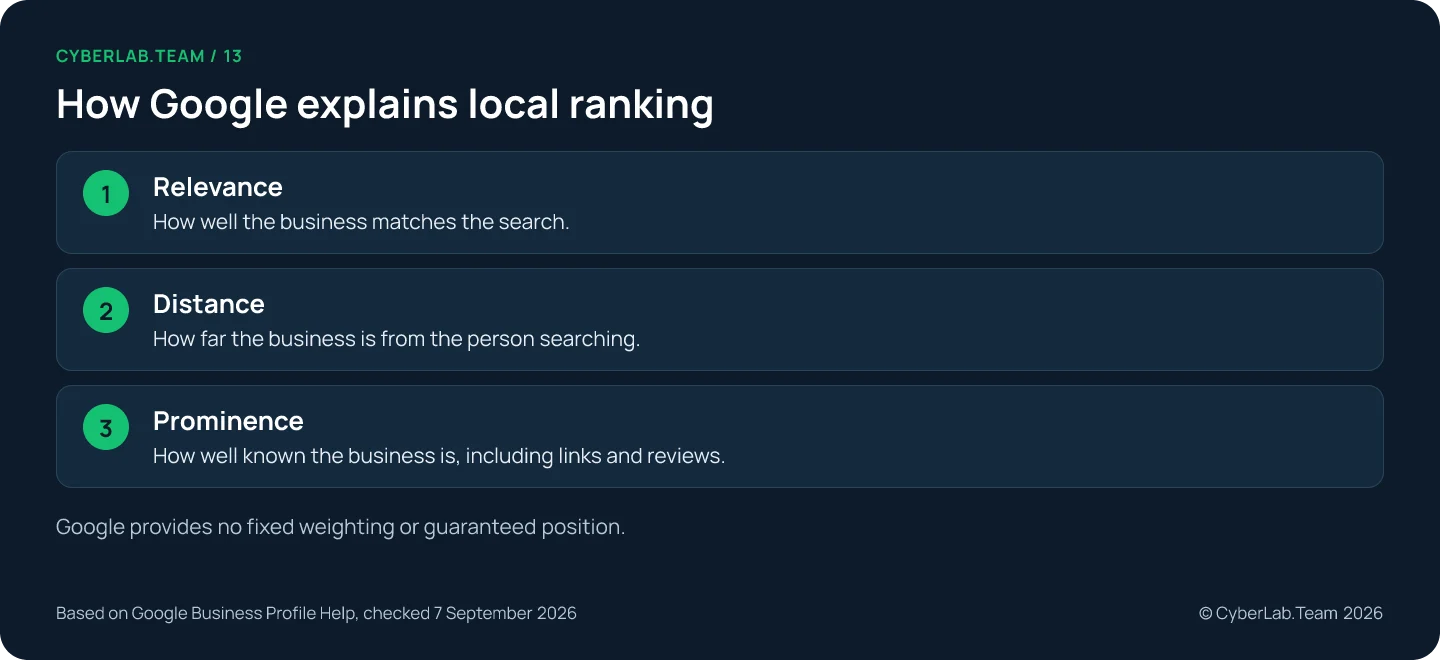
Google’s guidance mentions website links, review volume and positive ratings among the information it uses for prominence. It does not disclose a formula that lets you calculate a position. A ranking factor chart from an SEO survey is an assessment by its participants, not a percentage breakdown of Google’s algorithm.
Whitespark’s Local Search Ranking Factors report is based on expert scoring, and its methodology says the contributors have no special access to Google’s algorithm. It is useful for forming questions to test, not for predicting a result.
Relevance
Categories and services help Google connect the business with searches for its products or work. The choices themselves belong to the profile checklist; here the point is that relevance is a match between what was searched and what the profile and the linked page say, so a test search has to name a service the business really provides.
BrightLocal’s study of additional categories found relationships between category use and rankings that differed by business type. It was observational: it does not establish an ideal category count or prove that adding categories caused the difference.
Distance
Google considers how far a business is from the searcher and estimates the person’s location when necessary. A city added to a query and the location Google understands for that person are both part of the search context, so record both when you test.
A service area tells customers where you travel or deliver. Google lets eligible businesses specify areas such as cities and postal codes; it does not describe those selections as reserved ranking territory.
Sterling Sky’s published monitoring example found that changing the displayed service area did not move visibility into the selected city. The page carries a 2025 date while the example describes observations heading into 2023, and it concerns particular tracked profiles, so treat it as limited evidence, not a controlled experiment that applies everywhere.
Set an accurate service area and measure what happens in the places you serve. Adding city names to that field does not promise citywide coverage.
Prominence
Prominence is the factor you can influence least directly and the one most open to wishful reading. Google’s own wording points to reviews, links and what the web says about the business. None of that can be edited in a field.
Choose where to maintain business listings deliberately. For each directory or partnership, ask whether it helps a real customer find or understand the business. Correct an old address before purchasing another listing.
Pick the searches worth testing
Start from a short working list: the services the business provides, the places it serves and the words customers use for them. Search for the business name and search for a service are different tests, so keep them in separate rows. Take query evidence from Business Profile Performance and Search Console, and treat translated phrases as candidates until demand is checked.
A search for a named repair shop and a search for a type of repair answer different questions. The first checks whether people can find that business; the second checks discovery among alternatives.
The search terms in Business Profile Performance show how the profile has appeared. Google says you cannot directly edit those queries: they are a reporting output, not a keyword field to fill in. Search Console covers the website’s own queries and pages. Its reports describe website performance in Search, so do not read its average position as a Maps ranking for the profile.
When serving several languages, research the wording in each one. Translation produces candidate phrases; it does not establish local search demand. Keep country, query language and the intended service separate in your planning sheet.
Test the same searches from the same places
A fair test fixes everything except the thing you changed: the query, the search location, the date, the time and the device or tool. Repeat it from the same locations, so that a change of search context does not pass for progress. A single check from the office measures the office.
A grid of fixed search points can make geographic differences easier to inspect. Keep its points and settings stable between runs. If a tool does not find the profile within its checked range, record that limit instead of assigning an invented exact position.
This is how we measure for clients. We use Local Falcon, BrightLocal and Localo, and for a business in one city our usual setup is a 7 by 7 grid, 49 points, checked once a month with the same points and settings every time.
Look at the points one by one. A broad geographic average can conceal weak visibility near an important service area, so keep the individual observations beside any summary. Imagine a business that slips at the edge of the grid and gains near its door between two runs: the average can stay flat while the picture has changed.
Location also depends on the person. Google estimates where a searcher is when it is not given, and says so in its help on location in search results, so a result seen from a phone on the move can differ from the one at a desk.
Keep visibility and outcomes apart
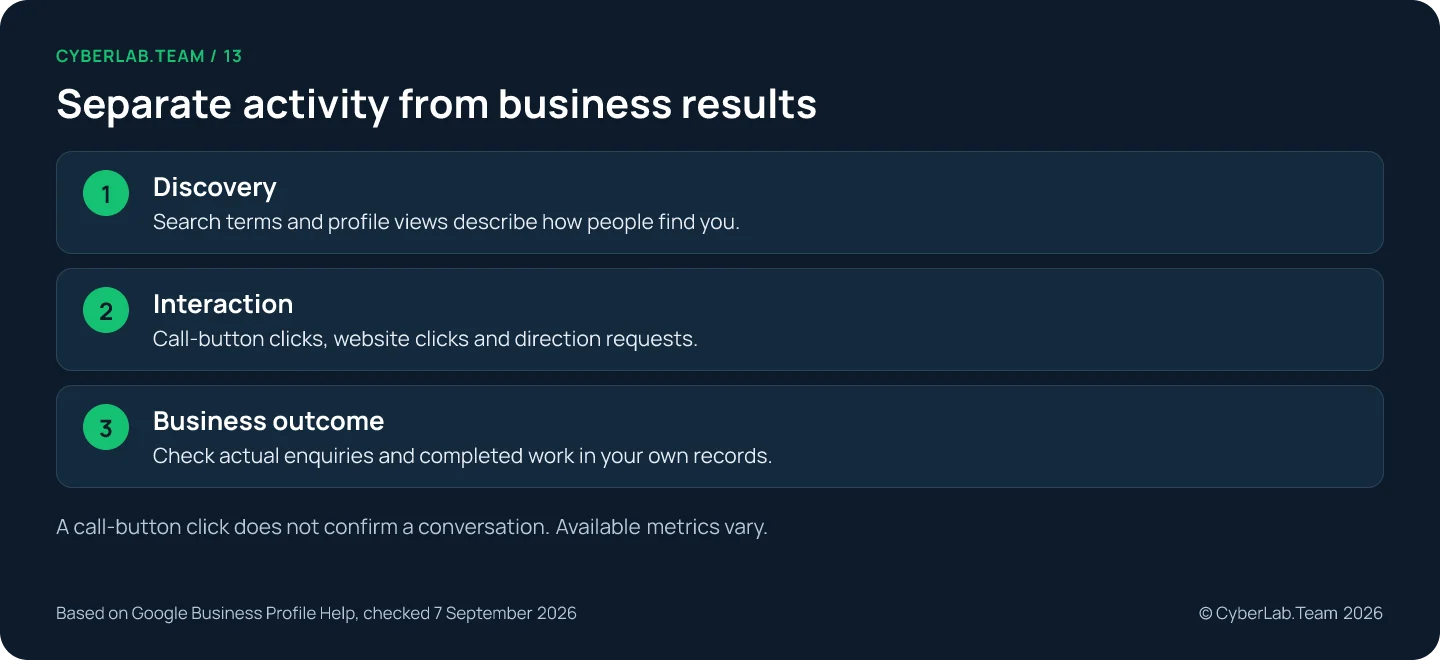
Visibility and outcomes are two different measurements. Visibility comes from repeatable searches. Outcomes come from profile actions and your own inquiry records. Calls in Business Profile Performance are button clicks, not answered calls, and the report can include Google Ads activity, so never credit every interaction to the ranking work.
| Measure | What it tells you | What to check alongside it |
|---|---|---|
| Repeated local searches | Observed visibility for the recorded query and location | Whether the same locations and method were used |
| Profile calls | Clicks on the profile call button | Answered calls and qualified inquiries |
| Website clicks | Clicks on the profile website link | What visitors do on the destination page |
| Direction requests | Requests for directions | Whether the address and entrance instructions are correct |
| Search Console clicks | Clicks to the website from Search | The queries, pages and country filters used |
The metric definitions matter. Calls counts clicks on the call button; it does not confirm that someone reached your team. Website clicks likewise do not prove that a customer submitted a form or booked. To see what visitors do after that click, connect the profile to analytics as described in our guide to linking Google Business Profile with GA4.
Google says Business Profile Performance can include activity from organic results and from Google Ads. If advertising is running, do not assign every reported interaction to the ranking work.
Compare the profile report with your own inquiry records. Note which contacts were relevant, which branch handled them and what happened next, using a process the team can keep up without collecting unnecessary personal information.
Let the website carry the location
The page linked from the profile has to answer a customer’s next questions: which location this is, which services are available here and how to get in touch. Give each real branch its own useful details, describe coverage plainly for a mobile business, keep pages crawlable, and treat structured data as website hygiene rather than a Maps ranking lever.
For a real branch, include its useful local information: contact details, opening arrangements and directions where relevant. Add information specific to that branch instead of swapping a city name into otherwise identical copy.
For a business that travels to customers, explain coverage and the service process without inventing offices in each city. A service-area page describes coverage; it does not establish an eligible physical location.
Google’s web spam policy includes doorway pages created for similar queries that funnel visitors to a less useful intermediate destination. A large collection of near-identical city pages can create exactly that problem.
Check that important pages are accessible to search engines and connected through useful internal links. Search Console can help you investigate the website separately from profile visibility.
LocalBusiness structured data can describe facts such as business hours and departments. It belongs to the website implementation. Do not treat adding markup as evidence that the profile will gain a particular Maps position, and keep it consistent with what readers see on the page. If your team cannot maintain an elaborate setup, begin with a smaller accurate one and assign responsibility for updates.
Reviews and photos: what they do for ranking
Reviews count toward prominence through their volume and ratings, but Google publishes no number that secures a position, and nothing in its guidance promises a ranking from a photo. Both are work on the business and the profile first, so the process lives in the reviews guide and the photo pass in Step 7 of the profile checklist.
For measurement, the useful habit is to read reviews for recurring problems instead of watching only the average rating, and to note a change in review volume next to a change in visibility without claiming one caused the other. Review quantity alone does not describe customer experience.
Photos matter here for one narrow reason: the cover you select is not necessarily the first image Google shows. Review the public result rather than assuming the upload determined its presentation.
Change one thing at a time
When visibility is weak, resist the urge to change everything in one week. Fix the facts that are demonstrably wrong first, record the date of each change and what you expect to see, and compare the next test run with the last one. If several unrelated changes land together, you will know less about which one coincided with a result.
Change related items together only when accuracy requires it, for example a new address on the profile and the website at once. Allow for review and indexing before drawing conclusions. Google’s website guidance says changes can take different amounts of time to appear, and some produce no noticeable search impact. A profile edit being accepted is not proof of a ranking gain.
Expect some change you did not make. Google can alter profile details from other sources, so a saved screenshot of each test run and a change log give you something to compare an unexpected difference against.
If visibility remains limited, revisit the query and location before expanding the task list. The service may be described inaccurately, the test may be far from the business, or the destination may fail to answer what the customer needs. If the facts on the profile are in question, return to the checklist before testing again.
What owners ask when a competitor ranks above them
The three factors explain most of these comparisons, but not all of them are in your hands. A competitor can sit closer to the searcher, match the query more narrowly or be better known on the web, and none of that shows up in a review count. Three questions come up most often.
Why does a competitor with fewer reviews rank above us?
Reviews are one part of prominence. Relevance and distance count as well, and Google gives no weights, so a business with fewer reviews can still appear first for a search made close to its door. Compare the two profiles from the same search points before drawing a conclusion, and read the competitor’s page and categories too.
How many reviews are needed?
Google’s local ranking guidance provides no universal review threshold for a target position. Use a consistent, permitted feedback process and read the content of reviews. Copying a competitor’s total does not mean you will match its visibility.
What should a provider show before promising results?
Google does not sell organic local positions, so a guarantee of first place is a reason to ask questions. Ask the provider to explain the proposed changes, the evidence behind them and how visibility and relevant inquiries will be measured, with the query, the locations and the dates stated.
If you want a second pair of eyes on the test searches and the page the profile links to, the one-time local SEO audit works from your profile link, the services you want to be found for and the towns you serve.
Sources
Google guidance last checked 7 September 2026.
- Google Business Profile Help. “Tips to improve your local ranking on Google.” https://support.google.com/business/answer/7091
- Google Business Profile Help. “Manage your service areas.” https://support.google.com/business/answer/9157481
- Google Business Profile Help. “Understand your Business Profile performance.” https://support.google.com/business/answer/9918094
- Google Business Profile Help. “Tips to get more reviews.” https://support.google.com/business/answer/3474122
- Google Business Profile Help. “Manage photos or videos for your Business Profile.” https://support.google.com/business/answer/6103862
- Google Business Profile Help. “Understand Google updates.” https://support.google.com/business/answer/3480441
- Google Search Help. “Understand location when searching.” https://support.google.com/websearch/answer/179386
- Google Search Central. “Google web spam policies.” https://developers.google.com/search/docs/essentials/spam-policies
- Google Search Central. “LocalBusiness structured data.” https://developers.google.com/search/docs/appearance/structured-data/local-business
- Google Search Console Help. “Performance report.” https://support.google.com/webmasters/answer/7576553
- BrightLocal. “Study: Do additional GBP categories boost local rankings?” https://www.brightlocal.com/research/study-do-additional-gbp-categories-boost-local-rankings/
- Whitespark. “Local Search Ranking Factors.” https://whitespark.ca/local-search-ranking-factors/
- Sterling Sky. “Does the service area in your Google Business Profile impact ranking?” https://www.sterlingsky.ca/does-the-service-area-in-google-my-business-impact-ranking/