

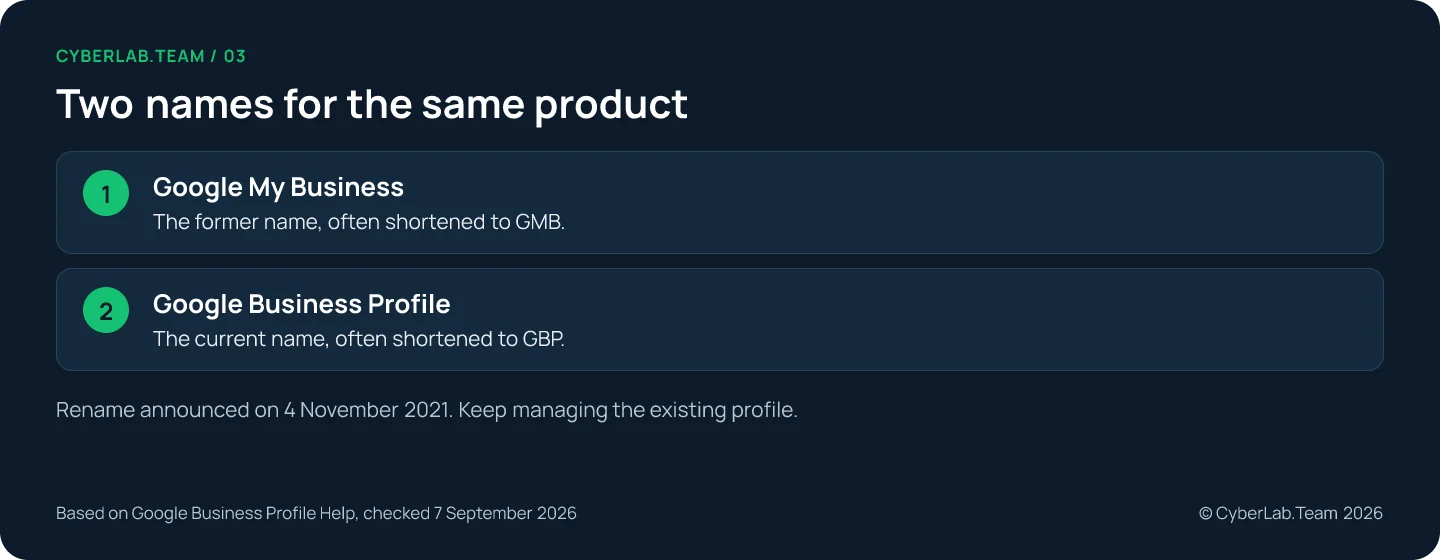
Google My Business and Google Business Profile are the same product under two names. Google announced the rename on 4 November 2021, and Business Profile has been the current name ever since for the tool that manages a business’s presence on Search and Maps.
If you already have a listing, find it and manage it. You do not need a replacement because Google changed the product’s name, and creating another profile for the same business is how duplicate problems start.
The practical differences are the management interface and the features available today, and those changed gradually over the years, not on the day of the rename. An old GMB tutorial may still describe the right task while pointing you at a menu or a feature that no longer exists. This article sorts out which is which. If you are starting from zero, our step-by-step guide to creating a profile is the better starting point; for everything after setup, the complete setup and management guide covers it.
What the 2021 rename changed
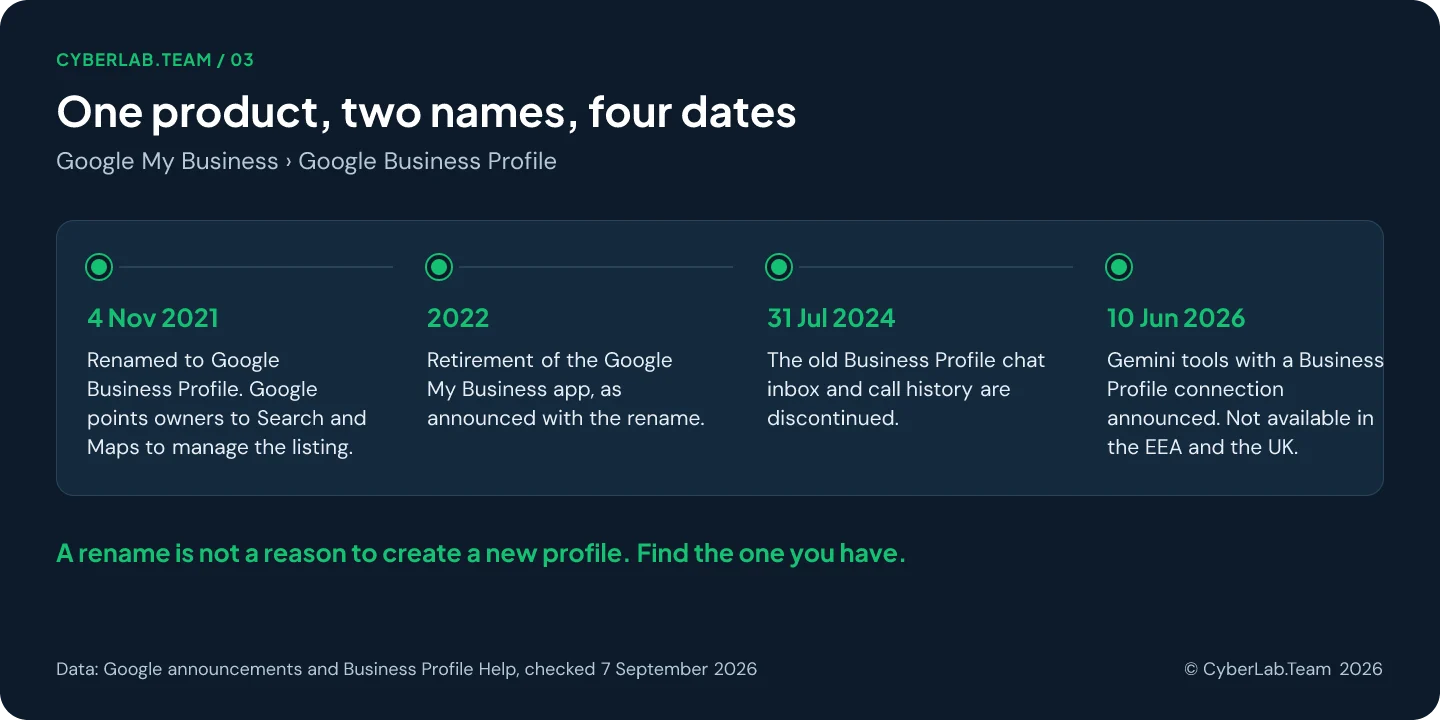
The rename itself changed a name and an entry point, not the listing. Google’s announcement encouraged businesses to manage their profiles directly in Search and Maps, gave Business Profile Manager a larger role for multi-location businesses, and said the Google My Business app would be retired in 2022. Your data, your reviews and your verification stayed where they were, and so did the eligibility rules: a business still has to meet customers in person and represent itself by its real-world name.
For managing a profile today, Google directs owners to Search and Maps. You can use those routes without ever finding the old app.
The four names you will meet refer to different parts of that history and workflow:
| Name | What it refers to | What to use it for |
|---|---|---|
| Google My Business / GMB | The former product name | Recognizing older guides and terminology |
| Google Business Profile / GBP | The current product for managing business information on Google | Maintaining your eligible business profile |
| Google Search and Maps | Places where you can access profile management | Editing an individual profile with the associated account |
| Business Profile Manager | The management tool used for bulk profile operations | Working with multiple business locations |
In current instructions, write “Google Business Profile”; “formerly Google My Business” is enough for a reader who knows only the old name.
Where to manage your profile now
There is no separate dashboard to log into any more. Sign in to the Google account associated with the business, then reach the profile through Search or the Maps app and edit it there. Seeing the listing is not the same as being able to edit it, and a multi-location business still has a bulk tool for spreadsheets.
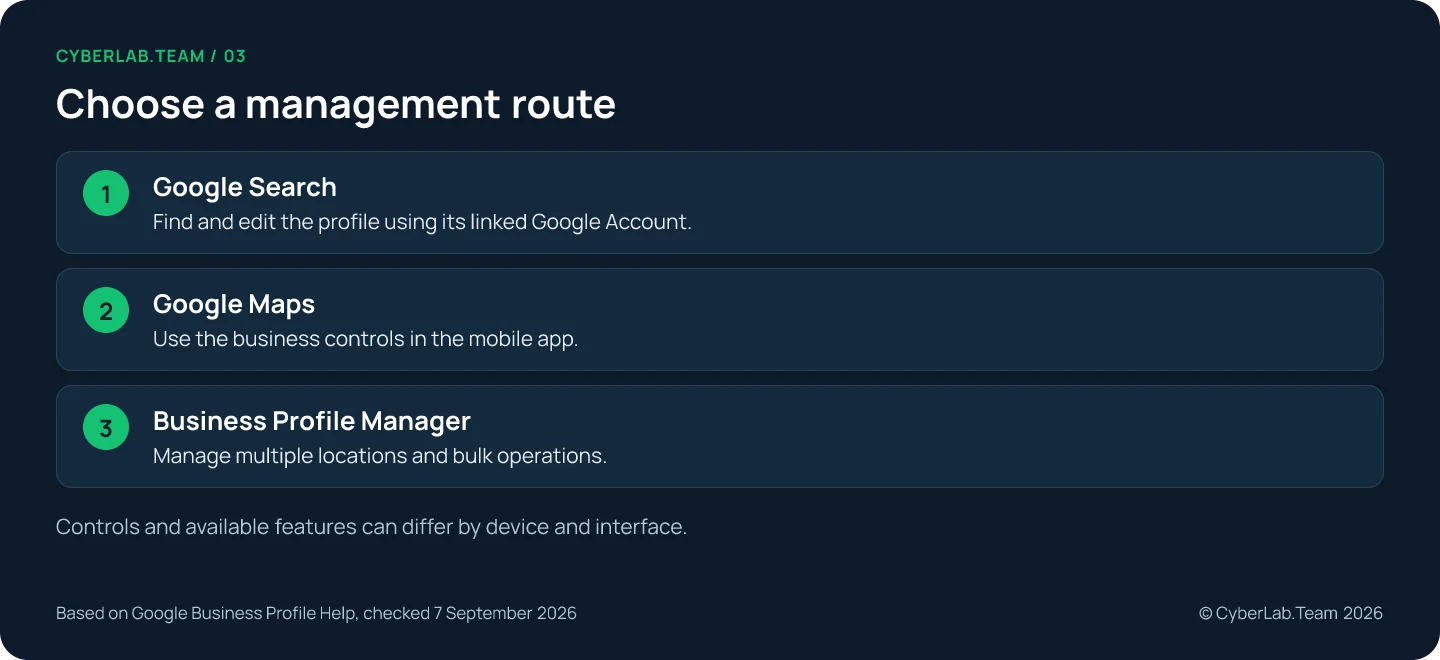
In Google Search, search for your business name and city, or search for “my business”. Once you reach your profile, select Edit profile to change business details. In the Google Maps app, tap Business at the bottom right and, if you manage more than one profile, pick the relevant business. Google’s current instructions use this route; older screenshots may show a different menu.
If you can see the business but cannot edit it, check the signed-in account before you start creating anything. If somebody else owns the profile, use the ownership request process. For a service-area business without a physical location customers can visit, Google’s ownership guidance directs you to support.
For several locations, Business Profile Manager supports bulk updates through spreadsheets. Download the current data before editing, preserve the store codes and preview the changes. Incorrect codes can accidentally create new business records.
What changed after the rename
Most of the confusion blamed on the rename comes from changes made years later. The old chat inbox and call history were switched off in 2024, performance reporting counts clicks rather than conversations, short names can no longer be created, and the Gemini tools of 2026 come with eligibility limits. Judge an old guide by its instructions, not its vocabulary.
The old chat and call history ended in 2024
Google discontinued the previous Business Profile chat and call history on 31 July 2024. This happened well after the rename. The closure did not stop customers from finding a business or calling the number on its profile.
Messaging is available again in a different form for some profiles. Claimed and verified profiles in selected regions can add a WhatsApp or text messaging option. Availability is limited, and these options are distinct from the discontinued chat inbox. If your profile offers the feature, look under Edit profile, Contact, then Chat. If you add both WhatsApp and text, Google says only the text option will appear to customers.
Performance data is not the old call log
Business Profile performance reports provide metrics for verified profiles, including the customer actions that apply to the business. The Calls metric counts clicks on the profile’s call button. It does not tell you how many conversations were completed, so counting call-button clicks as answered calls will overstate the inquiries you received.
Google also currently documents an Insights feature with recommendations. Older use of the word “insights” does not establish that every historical report or measurement is still available in the same form.
Some small profile options have changed too
Google no longer lets you create or edit a business short name. Existing short names and URLs can still work, but they are no longer displayed to customers on the profile, and deleting a short name does not let you create it again.
Social media links are available in selected regions. Other options, such as the services editor, depend on the business category.
Gemini tools have eligibility limits
On 10 June 2026, Google announced new Gemini tools for businesses, including a Business Profile connection. They can help with tasks such as drafting posts and review replies or analyzing profile information.
As checked for this article, access is rolling out gradually in the Gemini web app. It requires an adult owner or manager of one verified profile, using the associated personal Google account with Keep Activity enabled and a supported language. Work and school accounts are excluded, and the connection is unavailable in the European Economic Area and the UK. Language support alone does not establish regional access, so check the current eligibility guidance before planning your workflow around it.
How to recognize an out-of-date tutorial
A tutorial is out of date when its instructions point at something Google has since changed, whatever name it uses. Check the steps against this list before following them:
| If the tutorial says | What is current |
|---|---|
| Open the Google My Business app or dashboard | Google announced in 2021 that the app would be retired in 2022 and now directs owners to Search and Maps |
| Read customer chats or the call history | The old chat and call history ended on 31 July 2024; messaging exists only in the new, limited form described above |
| Create or edit a short name | Google no longer lets you create or edit a business short name |
| Count the Calls figure as answered calls | The Calls metric in Performance counts clicks on the call button, not conversations |
A guide that opens with the old name but sends you through Search or Maps and the Performance report can still be right. A guide that sends you to a chat inbox was written before the 2024 change, whatever it is called.
What to do with an existing profile
Treat the rename as a prompt to audit the listing you already have, not to rebuild it. Find the business under the correct account, check the public details and any pending edits, and answer a verification request if Google shows one. A saved change can still be pending or not approved, so compare the public result with what you intended to publish.
If you cannot edit the profile, the answer is in claiming an existing profile; for the verification options Google offers, see the verification guide; for a missing review, the reviews guide. Do not assume that the old and new product names explain a missing review or a wrong detail.
Old names that still turn up
Why does some software still say My Business?
Google’s current developer documentation retains “My Business” in several API names within the Business Profile API family. That wording alone is not evidence of a separate listing product or of a need to recreate your profile.
Is a brand profile the next name for Business Profile?
No. Google describes brand profiles for selected e-commerce retailers separately from local Business Profiles. A business with eligible physical and e-commerce operations may have both. Check which product a guide is discussing before following its setup instructions.
If you have inherited an old profile or an old tutorial and want to know what still applies, send the team the profile link and the instructions you were given. A one-off review of the listing you already have is part of our Google Business Profile service.
Sources
Google pages this article relies on, checked 7 September 2026 unless a date is given.
- Google (The Keyword). “Connect with local holiday shoppers,” 4 November 2021: the rename announcement. https://blog.google/products/ads-commerce/connect-local-holiday-shoppers/
- Google Business Profile Help. “Google Marketing Tools Support and Customer Service: Business Profile FAQ.” https://business.google.com/us/support/
- Google Business Profile Help. “Edit your Business Profile.” https://support.google.com/business/answer/3039617
- Google Business Profile Help. “Find your business on Google.” https://support.google.com/business/answer/145585
- Google Business Profile Help. “Changes to Google Business Profile chat and call history.” https://support.google.com/business/answer/14919056
- Google Business Profile Help. “Chat with customers from your Business Profile.” https://support.google.com/business/answer/15013580
- Google Business Profile Help. “Manage your Business Profile on Google with the Gemini web app.” https://support.google.com/business/answer/17142585
- Google (The Keyword). “Save time and grow your business with new Gemini tools,” 10 June 2026. https://blog.google/innovation-and-ai/products/gemini-app/gemini-features-for-businesses/
- Google Business Profile Help. “Understand your Business Profile performance and insights.” https://support.google.com/business/answer/9918094
- Google Business Profile Help. “Request ownership of a Business Profile.” https://support.google.com/business/answer/4566671
- Google Business Profile Help. “Import and update Business Profiles in bulk.” https://support.google.com/business/answer/4542428
- Google Business Profile Help. “Understand what happens to your Business Profile edits.” https://support.google.com/business/answer/3038311
- Google Business Profile Help. “Manage your business short name and URL.” https://support.google.com/business/answer/9273900
- Google Business Profile Help. “Manage your services on your Business Profile.” https://support.google.com/business/answer/9455399
- Google Business Profile Help. “Manage your social media links.” https://support.google.com/business/answer/13580646
- Google for Developers. “Frequently Asked Questions, Google Business Profile APIs,” 28 August 2026. https://developers.google.com/my-business/content/faq
- Google Business Profile Help. “About Google Business Profile and brand profile.” https://support.google.com/business/answer/16394780